We may earn a commission from links on this page, at no extra cost to you. Picks are researched, not sponsored.
The large speed number on a card is usually a best-case read figure. It can help during offload, but it does not tell you whether the card will sustain a long RAW video stream. Start with the camera's approved-media table, then check form factor, VPG class, capacity, and reader speed in that order.
What changed in CFexpress 4.0?
The CompactFlash Association says CFexpress 4.0 moves from PCIe Gen3 to Gen4 and uses NVMe 1.4c. That doubles theoretical throughput while keeping the same Type A, B, and C physical forms used by CFexpress 2.0.
| Form factor | Dimensions | CFexpress 4.0 theoretical maximum | Typical camera use |
|---|---|---|---|
| Type A | 20 x 28 x 2.8 mm | 2 GB/s | Compact high-end Sony bodies and cinema cameras |
| Type B | 29.6 x 38.5 x 3.8 mm | 4 GB/s | Many Canon, Nikon, Panasonic, and cinema bodies |
| Type C | 54 x 74 x 4.8 mm | 8 GB/s | No current camera adoption listed by CFA |
The dimensions and bus figures come from the association's CFexpress 4.0 specification summary. Type A and Type B are not interchangeable. A Type B card is the same general size and connector as XQD, but XQD compatibility still depends on camera firmware.
Does a CFexpress 4.0 card make a 2.0 camera faster?
Usually not during capture. The 4.0 card can negotiate with an older compatible host, but the camera's slot, processor, and recording mode remain the ceiling. The main immediate benefit may be faster computer offloads, and only when the reader, cable, port, and storage drive all support the higher speed.
A 4.0 card can still be a reasonable purchase when:
- You offload large jobs through a USB4 or Thunderbolt-class reader
- The price is close to a proven 2.0 card
- You expect to keep the card through a future camera upgrade
- The exact card is on the camera maker's approved list
A reliable 2.0 card is often the better value when the camera cannot exceed its write performance and offload time is not a bottleneck.
What does VPG mean?
VPG stands for Video Performance Guarantee. It is a CompactFlash Association certification for minimum sustained write performance during video capture. That is different from the maximum read or burst-write number printed most prominently on a card.
| VPG class | Profile | Certified minimum sustained write |
|---|---|---|
| VPG200 | VPG Profile 4 | 200 MB/s |
| VPG400 | VPG Profile 4 | 400 MB/s |
| VPG800 | VPG Profile 5 | 800 MB/s |
| VPG1600 | VPG Profile 5 | 1600 MB/s |
The association's VPG guide also warns that VPG Profile 5 is not backward compatible with Profile 4. A card marked only VPG800 does not necessarily satisfy a camera mode that asks for VPG400. A card bearing both profile marks has been certified for both.
This is easy to misread because the number is larger. Treat VPG as a required protocol and certification, not just a speed ladder.
Which label should you trust?
Use this priority:
- Camera make, model, firmware, and recording mode. Find the manufacturer's compatible-card or approved-media page.
- Physical type. Type A, Type B, and SD are different slots.
- Required VPG profile and class. Match the exact requirement, including profile compatibility.
- Sustained write claim. Useful when the camera does not mandate VPG, but certification is stronger evidence.
- Capacity. Some high-performance card lines use different NAND or sustained ratings at different capacities.
- Maximum read speed. Relevant mostly to offload, and only with a fast enough reader and host.
The CFA maintains a list of VPG-certified cards. Check the exact product name, capacity, and part number. A familiar series name is not enough when one capacity has a different certification.
How fast does your card need to be?
Convert the recording bitrate before comparing it with card speed. Divide megabits per second by eight to get megabytes per second. A 2400 Mb/s recording stream is about 300 MB/s before allowing headroom. That does not mean any card advertising 300 MB/s will work, because the advertisement may describe a peak rather than a sustained minimum.
Use the camera manual instead of calculating your way around an explicit requirement. Internal buffering, file-system behavior, thermal limits, and the camera's own media checks can matter beyond the nominal bitrate.
The memory-card buying guide covers SD, microSD, and CFexpress for less demanding cameras. If a camera stops recording, use the memory-card recording diagnosis before replacing everything.
Practical Type B options
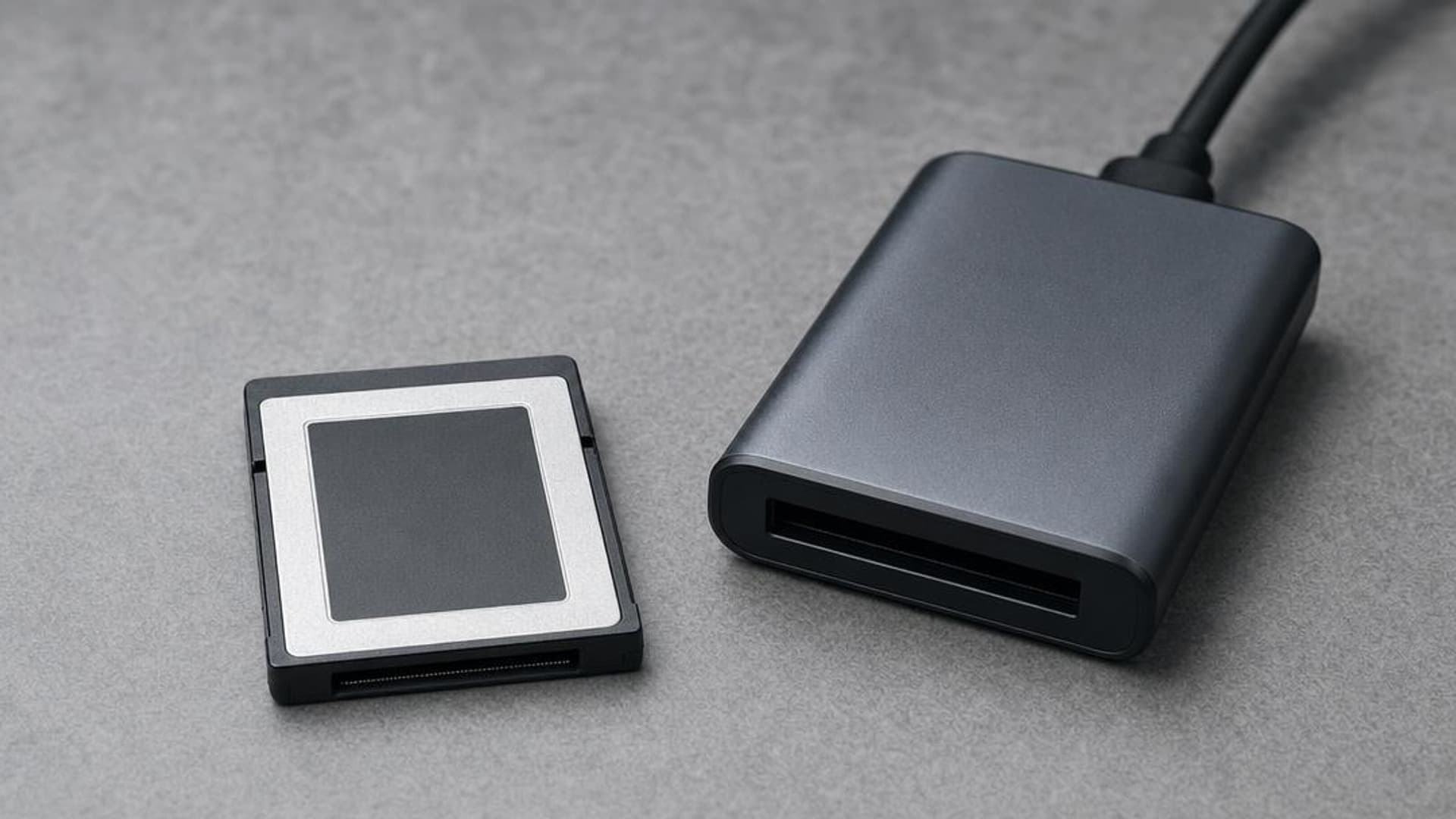
The Lexar Professional 128GB card below is an older CFexpress Type B 2.0 option, not a reason to pay for 4.0. It makes sense only when your camera approves it and your recording mode fits its sustained performance. The ProGrade dual-slot reader is useful for a mixed Type B and UHS-II SD kit, but its USB 3.2 Gen 2 interface will not show the maximum offload speed of the fastest 4.0 cards.
Research pick
Lexar Professional CFexpress Type B 128GB Gold
Hybrid shooters on bodies that require CFexpress Type B.
Check price at AmazonResearch pick
ProGrade Digital Dual-Slot CFexpress Type B and SD UHS-II Reader
Shooters mixing CFexpress Type B and SD who want quick offloads.
Check price at AmazonPrimary sources
- CompactFlash Association: CFexpress 4.0 announcement and backward compatibility
- CompactFlash Association: form factors, dimensions, and theoretical bandwidth
- CompactFlash Association: VPG classes and Profile 4 versus Profile 5 compatibility
- CompactFlash Association: certified-card list
Is CFexpress 4.0 backward compatible with 2.0 cameras?
The 4.0 interface is designed to be backward compatible with 2.0 while keeping the same form factors. Camera support still depends on the physical card type, firmware, and approved-media list, and the older host limits performance.
Is VPG800 better than VPG400?
VPG800 guarantees a higher sustained write speed, but it belongs to a different VPG profile. A VPG800-only card may not work in a mode that requires VPG400. Look for both certifications when the camera requires Profile 4 compatibility.
Do photographers need CFexpress 4.0 for stills?
Most do not. A 4.0 card can shorten offloads and may help a future camera, but burst depth and clearing speed are limited by the current camera slot. A proven compatible 2.0 card is often enough.
Why is my CFexpress card slow on my computer?
The reader, cable, computer port, and destination drive can each cap the transfer. A 4.0 card needs a high-speed 4.0-capable reader and a fast host path to approach its advertised read performance.
Keep going
Next useful steps
Pick one. Each link continues the same job without starting the research over.
Related Gear guides
Best Action Cameras in 2026: Picks for Every Adventure
An action camera captures stabilized, waterproof footage from places a normal camera cannot go. Here are the best action cameras across budgets and how to pick one.

Best Backdrops and Stands in 2026: Studio Background Picks
The best backdrops and stands for home studios, with each pick's real size, height limit, and price, so you know whether it fits headshots, products, or full-length portraits.
Best Cameras for Beginners in 2026: First Interchangeable-Lens Picks
The best beginner cameras balance an easy interface, good autofocus, and room to grow. Here are six we recommend and how to pick the right first body.
Best Cameras for Video in 2026: Hybrid, Cinema, and Vlogging Picks
Panasonic Lumix S5 II is the value video pick; GH7 suits long recording, and Sony a7 IV is the hybrid choice. Compare six cameras by workflow.
Researched, not personally tested: picks compare specifications, available owner feedback, and established expert sources. As an Amazon Associate I earn from qualifying purchases. We may earn a commission from links here, at no extra cost to you. How we research →