We may earn a commission from links on this page, at no extra cost to you. Picks are researched, not sponsored.
Shutter speed is the second leg of the exposure triangle. It controls how long light hits the sensor, and it is the main tool for handling motion, both your subject's and your own.
What is shutter speed and how is it written?
Shutter speed is the length of time the sensor is exposed to light, almost always written as a fraction of a second: 1/1000, 1/250, 1/60, 1/4. Camera screens usually drop the "1/" and just show 1000 or 250, which trips up beginners; a displayed 250 means 1/250 of a second, and a value with a quotation mark (2") means two full seconds. The smaller the fraction, the shorter the exposure and the less light reaches the sensor.
Like the other exposure controls, shutter speed moves in stops. Each halving of the time (1/125 to 1/250) cuts the light in half, one stop. That is what makes it tradeable: one stop faster on the shutter can be paid for with one stop wider on the aperture or one stop more ISO, and the brightness stays the same.
What shutter speed freezes motion?
A fast shutter speed catches a moving subject in a single sharp instant. A walking person needs around 1/250. A running child or a pet needs 1/500 or faster. Sports and birds in flight often want 1/1000 or higher.

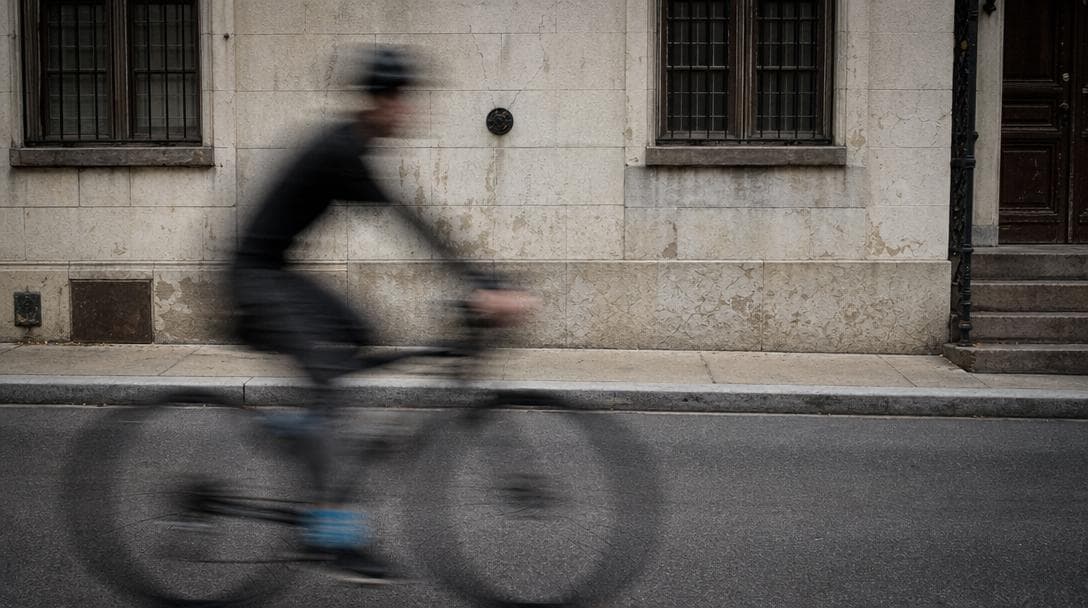
The speed you need depends on how fast the subject crosses the frame, not just how fast it moves in absolute terms. A cyclist passing directly in front of you needs a faster shutter than the same cyclist riding toward you, because side-to-side motion smears across more pixels. Distance matters the same way: the closer the subject, the faster the shutter you need to freeze it.
Here is the reference table worth memorizing, or at least bookmarking.
| Subject | Minimum shutter speed | Notes |
|---|---|---|
| Posed portrait, still subject | 1/125 | Covers small shifts in posture |
| Walking people, street scenes | 1/250 | The everyday default for candids |
| Kids and pets playing | 1/500 | They move faster than they look |
| Runners, cyclists, team sports | 1/1000 | Freezes limbs, not just bodies |
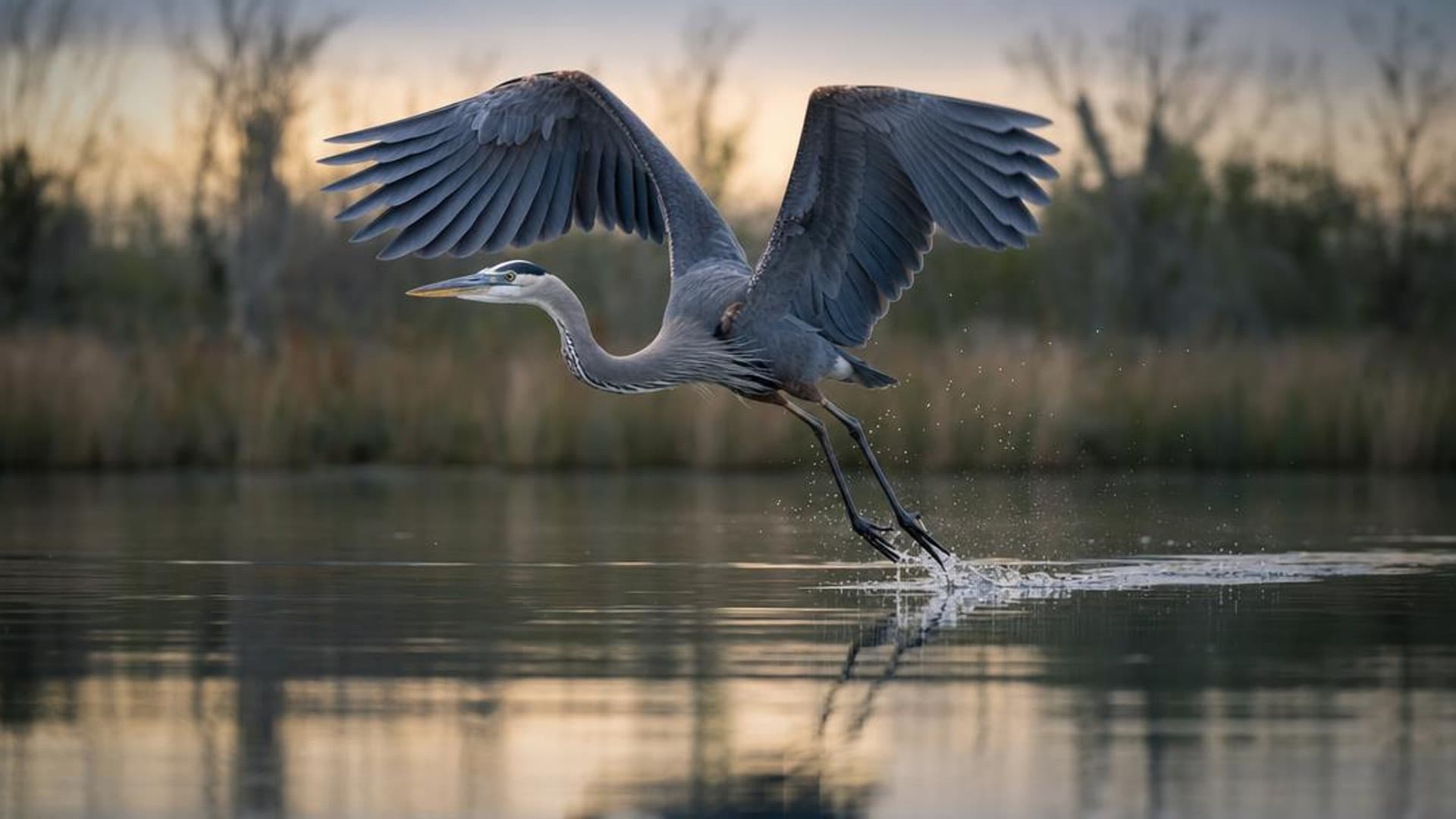
| Birds in flight, motorsports | 1/2000-1/4000 | Wingtips and wheels demand the extreme end |
| Waterfalls, silky water | 1/4 to 2" | Tripod required |
| Car light trails at night | 10-30" | Tripod plus a remote or timer |
When should you blur motion on purpose?
Slow shutter speeds let motion smear across the frame, which can be the point: silky waterfalls at 1/4 or slower, light trails from cars, or a sense of speed in a panning shot. For deliberate blur you usually need a tripod so that everything except the moving subject stays sharp.
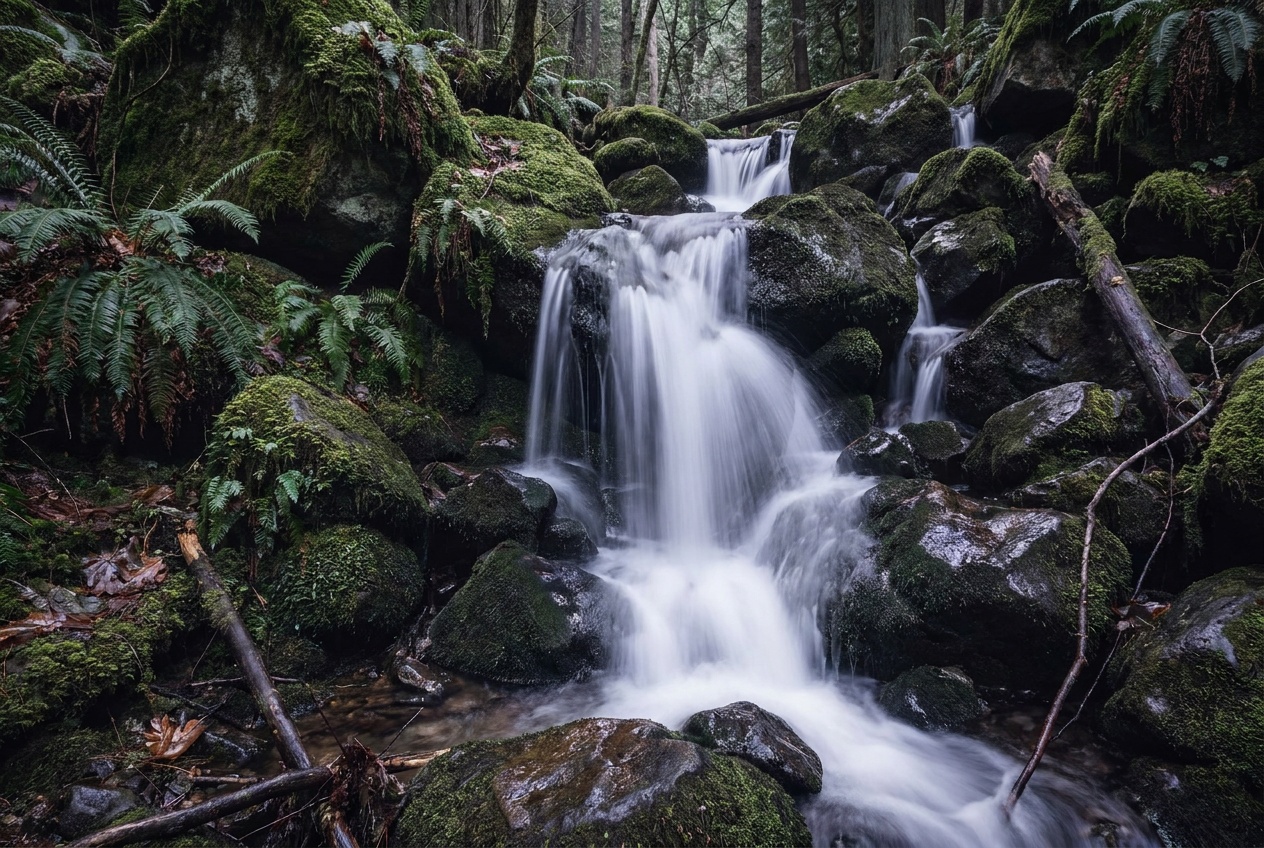
The craft in deliberate blur is choosing how much. A waterfall at 1/15 keeps texture in the water; at 2 seconds it turns to mist. Car trails need 10 to 30 seconds to draw complete lines through the frame. Panning, where you track a moving subject at 1/30 or 1/60 so it stays sharp against a streaked background, is its own skill; panning photography breaks down the technique, and long exposure photography covers the tripod-based end, including the ND filters that make slow shutters possible in daylight.
Why are my photos blurry at 1/60?
Because handheld, your own small movements blur the shot once the shutter is open too long, and 1/60 is right at the edge for many focal lengths. A useful starting rule is the reciprocal rule: keep your shutter speed at least 1 over your focal length. At 50mm, that means 1/50 or faster. At 200mm, 1/200 or faster. In-body stabilization buys you a few stops, but the rule is a safe default.
The reciprocal rule has two footnotes. First, on a crop-sensor camera, use the equivalent focal length: a 50mm lens on APS-C frames like 75mm, so treat 1/80 as the floor. Second, the rule only covers camera shake, never subject motion. Stabilization can make a 1/15 handheld shot of a building tack sharp, but a person walking through that frame will still smear, because stabilization steadies your hands, not the world. If your shots are soft and you are not sure which kind of blur you have, why are my photos blurry diagnoses it, and how to avoid camera shake covers grip, breathing, and bracing technique. For how stabilization actually earns its extra stops, see IBIS explained.
The diagnostic is simple and worth committing to memory: if the whole frame is soft, it is camera shake or missed focus; if only the moving subject is soft, your shutter was fast enough for your hands but not for the subject.
How does shutter speed trade against aperture and ISO?
Shutter speed is a constant negotiation with the other two controls. Freeze a fast subject and you are letting in less light, so you open the aperture or raise ISO to compensate. That trade is the whole game.
A worked example makes it concrete. You are shooting a youth soccer game in the late afternoon. Motion comes first, so you set the shutter to 1/1000 to freeze sprinting players. At f/5.6 and ISO 400 the frame comes out dark, so you pay for that fast shutter with the other two levers: open to f/2.8 (two stops) and the exposure lands. Final settings: 1/1000 · f/2.8 · ISO 400. When the game runs into dusk, the aperture is already maxed, so ISO climbs to 1600, then 3200. The shutter speed never budges, because the moment the shutter drops to 1/250, every sprint turns to smear. That priority order, motion requirement first and everything else negotiated around it, is how sports shooters think; the sports photography guide builds on it, and how to photograph sports has the field-side settings.
What are the most common shutter speed mistakes?
The most common mistake is trusting the viewfinder preview and not checking sharpness. A shot at 1/60 can look fine on the back screen and fall apart at full size. Zoom to 100 percent on the first few frames of any session and confirm.
The second mistake is treating stabilization as permission to shoot slow with moving subjects. Five stops of IBIS will hold a static scene at 1/8, and a walking person in that scene will still be a ghost. Match the shutter to the subject, then let stabilization handle your hands.
The third mistake is forgetting the shutter when the light changes. Settings that worked in afternoon sun quietly stop working at dusk: the camera meters correctly, auto modes drop the shutter to compensate, and suddenly every frame is soft. When the light falls, check what shutter speed the camera is actually choosing.
The fourth mistake is buying blur-free shots with unnecessary speed. Shooting a landscape at 1/4000 wastes two or three stops that could have been lower ISO or a sharper mid-range aperture. Fast enough is the target, not fast as possible.
Where to go next
Shutter speed is one corner of a three-way trade, so make sure the exposure triangle is solid. Then pick a direction: how to take sharp photos for the freezing side, or how to photograph waterfalls for the blurring side.
What is a safe shutter speed for handheld photos?
Start at 1 over your focal length, so 1/60 for a 60mm lens. For moving subjects, go faster: 1/250 for people, 1/500 or more for action.
Why are my photos blurry even in daylight?
Usually subject movement or hand shake. Raise the shutter speed. If the whole frame is soft, it is likely shake or missed focus; if just the moving parts are soft, it is subject motion.
What shutter speed should I use for video?
Use the 180-degree rule: set the shutter to roughly double your frame rate. At 24 fps that means 1/50; at 60 fps, 1/125. This produces natural-looking motion blur. Faster shutters make video look choppy, which is why video shooters use ND filters instead of fast shutters in bright light.
Do I need a tripod for slow shutter speeds?
Below your handheld limit, yes. Stabilization can hold static scenes down to around 1/8 or slower, but exposures measured in whole seconds (waterfalls, light trails, night skies) need a tripod and a self-timer or remote so pressing the button does not shake the frame.
Practice this
Turn the guide into a working setup
Keep going
Next useful steps
Pick one. Each link continues the same job without starting the research over.
Related Learn guides

Content Credentials and C2PA Explained for Photographers
Content Credentials record a photo's signed provenance and edits. Learn what C2PA proves, what it cannot prove, and how capture-to-export workflows work.
Open Gate Video Explained: When 3:2 Is Worth It
Open Gate records a taller sensor area for flexible 16:9, 9:16, and square crops. See when it helps, what it costs, and how to frame it correctly.
Pre-Capture Photography Explained: Get the Frame Before the Click
Pre-Capture buffers photos before the shutter is fully pressed. Learn how it works, which settings change, and when RAW, flash, or focus may be limited.
RAW vs JPEG: Which File Format Should You Shoot?
RAW keeps all your sensor data for maximum editing freedom; JPEG is smaller and ready to share. Here is how they differ and when each one is the right call.
Researched, not personally tested: picks compare specifications, available owner feedback, and established expert sources. As an Amazon Associate I earn from qualifying purchases. We may earn a commission from links here, at no extra cost to you. How we research →