We may earn a commission from links on this page, at no extra cost to you. Picks are researched, not sponsored.
An external microphone can be connected physically and still send no usable signal. Cameras, phones, computers, powered shotguns, passive mics, wireless receivers, and USB devices do not all expect the same connector or power.
Check the failure before the fix
| Symptom | Likely cause | First move |
|---|---|---|
| No meter movement at all | Wrong cable, loose plug, no power, or wrong input | Reseat the cable and confirm power |
| Meter moves but recording is silent | Wrong track, mute, or playback route | Check channel assignment and headphones |
| Audio is only on one side | Mono signal recorded to one channel | Set mono or duplicate the active channel in edit |
| Loud hiss with a quiet voice | Camera gain is high and mic output is low | Raise mic output, lower camera gain |
| Crackles when cable moves | Damaged plug, jack, or cable | Replace the cable first |
| Phone ignores the microphone | TRS/TRRS or USB routing mismatch | Use the correct adapter and input mode |
The troubleshooting order
1. Identify TRS and TRRS
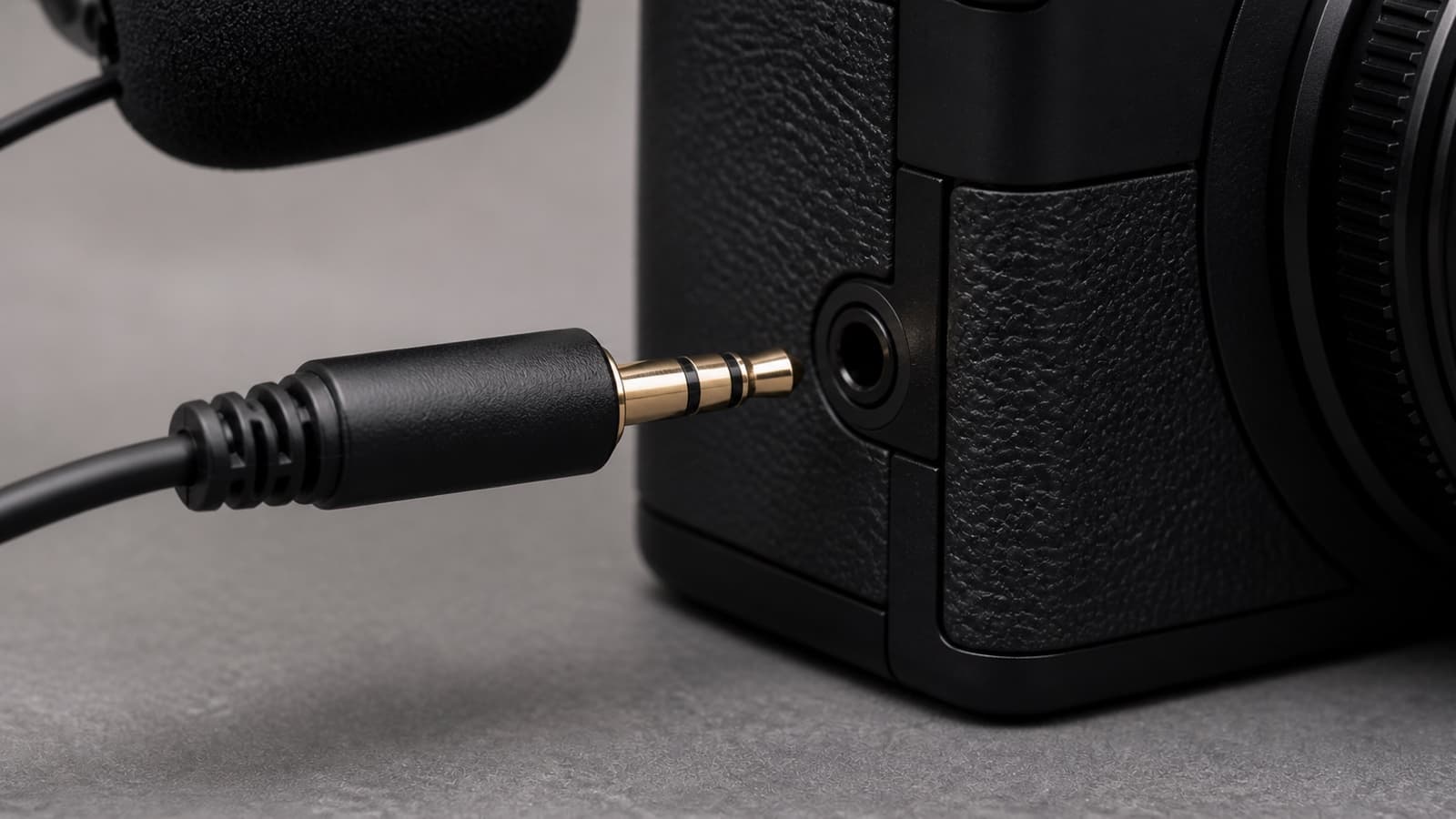
Count the black insulating rings on a 3.5 mm plug. TRS has two rings and is common for camera microphone connections. TRRS has three rings and combines headphone and microphone connections on many phones and computers. RODE's connector guide explains the difference.
A plug that fits is not proof that the wiring matches. A camera mic connected to a phone may need a TRS-to-TRRS adapter. Some modern devices use USB-C audio instead.
2. Seat every plug fully
Remove cases, cages, and right-angle strain reliefs that prevent the connector from clicking into place. A plug left one millimeter short can produce silence, one channel, or intermittent crackle. Reseat both ends with the devices powered down.
3. Confirm microphone power
Battery-powered and rechargeable microphones must be on and charged. Some compact camera mics rely on plug-in power from the camera jack. RODE's VideoMicro troubleshooting note identifies plug-in power and the correct cable as the first checks for no audio.
4. Select the actual input
Open the camera, phone, or computer audio settings. Choose external mic, microphone input, USB audio device, or the named wireless receiver. Disable internal-mic priority if the device offers it. For USB, confirm that both the operating system and recording app use the same input.
5. Watch the meter, not the speaker
Speak at normal volume and look for meter movement. Aim for healthy peaks without hitting the maximum. If the meter works but playback is silent, the capture may be fine and the problem may be headphone routing, muted playback, or the selected channel.
6. Simplify the signal path
Remove extension cables, splitters, adapters, cages, and wireless links. Test the microphone directly with one known-good cable. Then add each piece back. This is faster than changing every menu at once.
Gain without hiss or clipping
Set a powered mic or receiver to send a strong clean signal, then keep camera preamp gain moderate. If camera gain is near maximum, quiet preamp noise becomes obvious. If the receiver is too hot, peaks clip before the camera can recover them. Use the meters and record a spoken test at the real distance.
When replacing the microphone makes sense
Replace gear only after a known-good cable, compatible input, correct power, and direct connection still fail. A microphone with flexible camera, phone, and USB connections can reduce adapter mistakes when one mic serves several devices.
Best On-Camera
Rode VideoMic NTG
Run-and-gun creators who want pro sound mounted on the camera.
Check price at AmazonRODE's VideoMic NTG product page documents an auto-sensing 3.5 mm output, USB audio, adjustable gain, and a rechargeable battery. Those connection options make it a practical replacement when an older mic genuinely cannot serve the required devices. They do not fix a muted input or a half-seated cable.
Use the video microphone guide to compare wireless, shotgun, and on-camera choices after the fault is known.
Common mistakes
Do not assume every 3.5 mm cable is wired the same. Do not judge the recording from a phone speaker before checking the meter and file. Do not run camera gain at maximum when a powered receiver can send a stronger signal. Do not replace the microphone before replacing a suspect cable.
Primary sources
- RODE: TS, TRS, and TRRS connector differences
- RODE: Why the VideoMicro may have no audio
- RODE: When to use an SC7 TRS-to-TRRS cable
- RODE: VideoMic NTG connections and controls
Why does my camera still use its internal microphone?
The external plug may not be fully seated, the cable may be wired for a phone instead of a camera, or the menu may still prioritize the internal input. Confirm meter movement while unplugging and reconnecting the mic.
Do I need TRS or TRRS for a camera microphone?
Most dedicated camera microphone inputs use TRS. Many phones and headset jacks use TRRS. Check the device manual and use a purpose-built adapter rather than assuming a plug that fits will carry the right signal.
Why is my external microphone recording only on the left channel?
A mono microphone may feed one channel of a stereo input. Set the camera to mono if supported, use the correct cable, or duplicate the active channel during editing. First confirm that the other channel is not a safety track recorded at a lower level.
Keep going
Next useful steps
Pick one. Each link continues the same job without starting the research over.
Related Learn guides

Content Credentials and C2PA Explained for Photographers
Content Credentials record a photo's signed provenance and edits. Learn what C2PA proves, what it cannot prove, and how capture-to-export workflows work.

Open Gate Video Explained: When 3:2 Is Worth It
Open Gate records a taller sensor area for flexible 16:9, 9:16, and square crops. See when it helps, what it costs, and how to frame it correctly.

Pre-Capture Photography Explained: Get the Frame Before the Click
Pre-Capture buffers photos before the shutter is fully pressed. Learn how it works, which settings change, and when RAW, flash, or focus may be limited.

RAW vs JPEG: Which File Format Should You Shoot?
RAW keeps all your sensor data for maximum editing freedom; JPEG is smaller and ready to share. Here is how they differ and when each one is the right call.
Researched, not personally tested: picks compare specifications, available owner feedback, and established expert sources. As an Amazon Associate I earn from qualifying purchases. We may earn a commission from links here, at no extra cost to you. How we research →