We may earn a commission from links on this page, at no extra cost to you. Picks are researched, not sponsored.
Editing is correction, not transformation
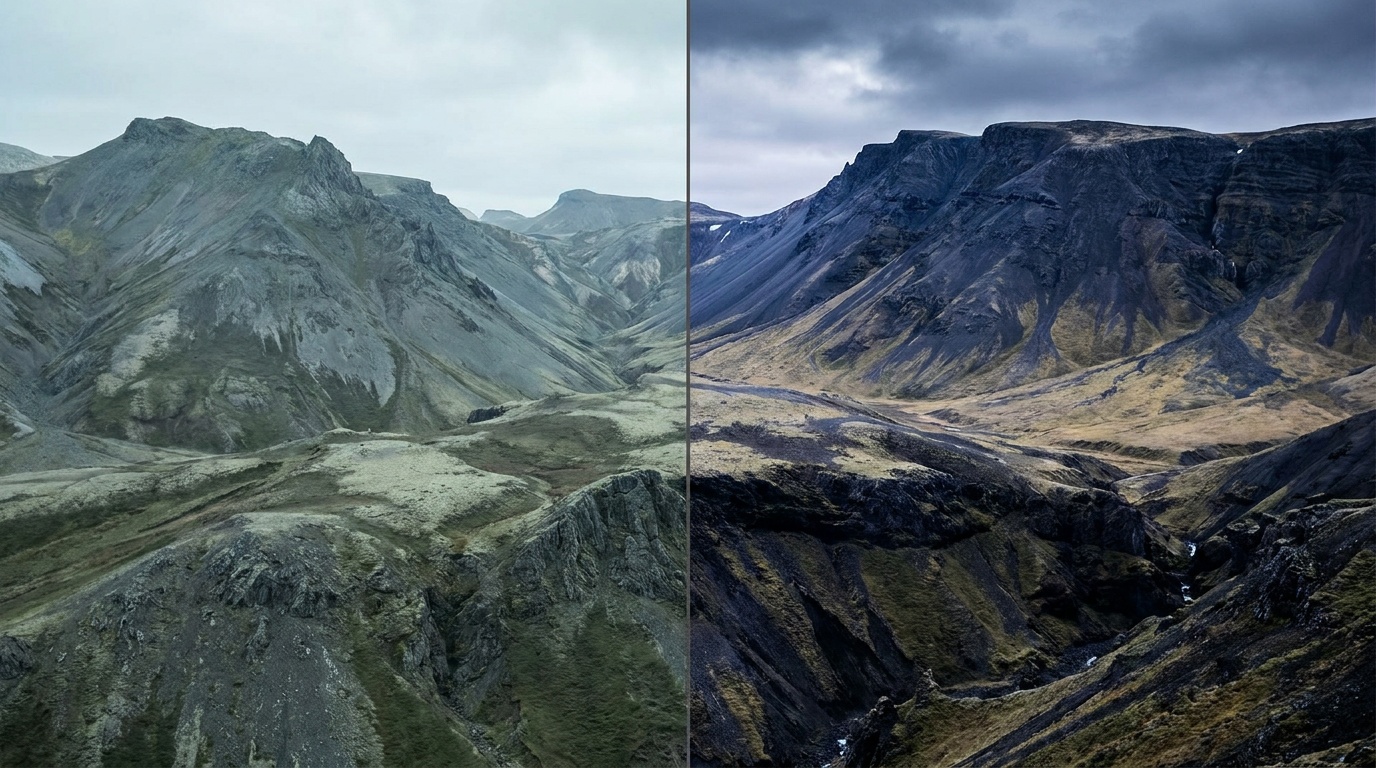
The goal of basic editing is to finish what the camera started, not to disguise the photo. A well-shot frame usually needs only a few nudges: the white balance set true, the exposure brought to where you wanted it, and the brightest and darkest parts pulled back into view. Done well, the edit is invisible. The viewer just sees a clean, well-lit photo and never notices the work.
This is why the strongest habit a beginner can build is restraint. The sliders go a long way, and the temptation is to push every one of them. The photos that hold up are almost always the ones edited with a light hand, where each adjustment is doing a job rather than making a statement.
The core adjustments, in order
Order matters, because each step changes what the next one needs. A reliable sequence:
- White balance. Fix any color cast first, so every later judgment is made on accurate color. If you shot RAW, set it to the right Kelvin value freely.
- Exposure. Set the overall brightness to where you want it. Use the histogram to check you are not clipping the ends.
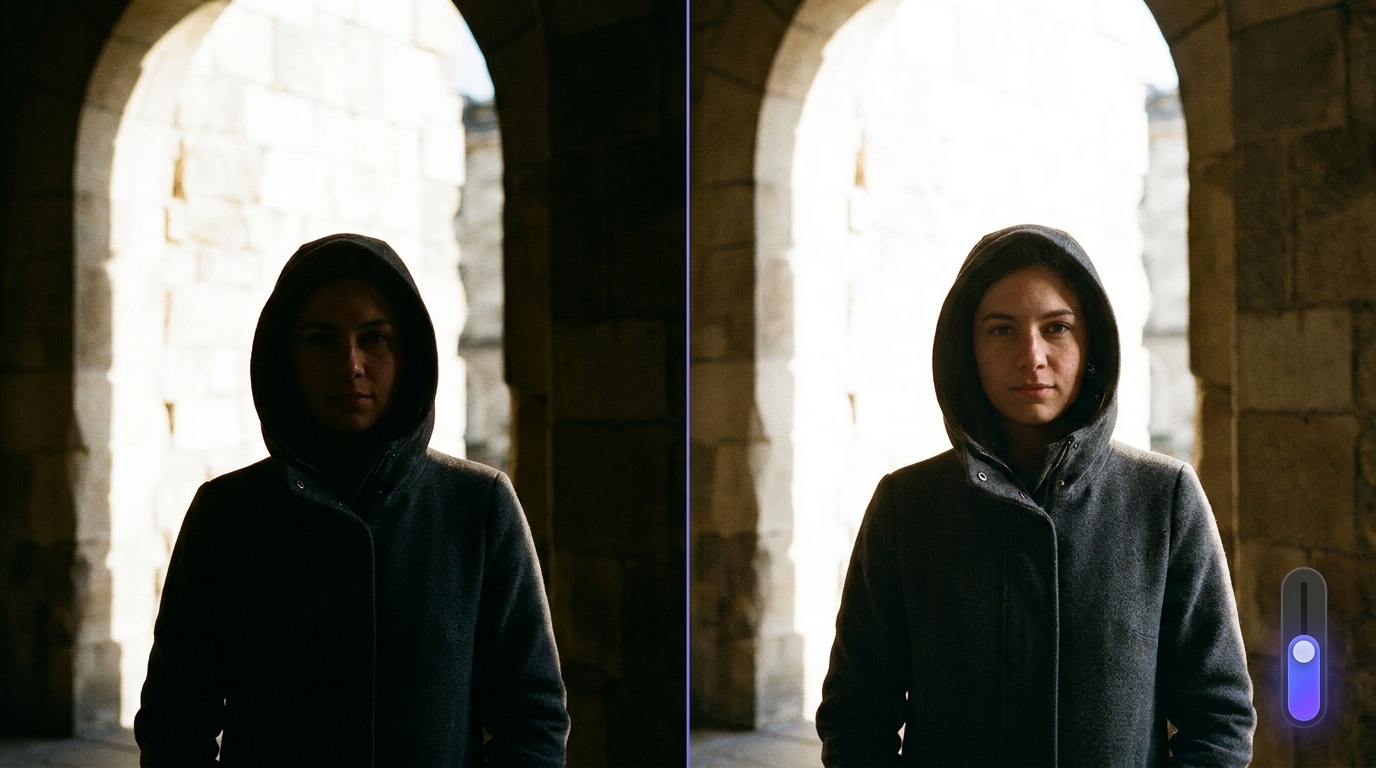
- Highlights and shadows. Pull highlights down to recover bright detail, lift shadows to open up dark areas. This is where RAW's latitude pays off.
- Contrast, whites, and blacks. Add contrast or set the black and white points so the image has punch without crushing detail. Set the black point so the darkest pixel just touches black; set the white point so the brightest just touches white.
- Color and saturation. Nudge vibrance for a little life. Go gently; oversaturated color is the fastest way to make an edit look amateur. Vibrance protects skin tones better than the blunt saturation slider.
- Sharpening and noise. A small amount of sharpening at the end, plus noise reduction if you shot at high ISO. Sharpen last and at 100 percent zoom so you can see what you are doing.
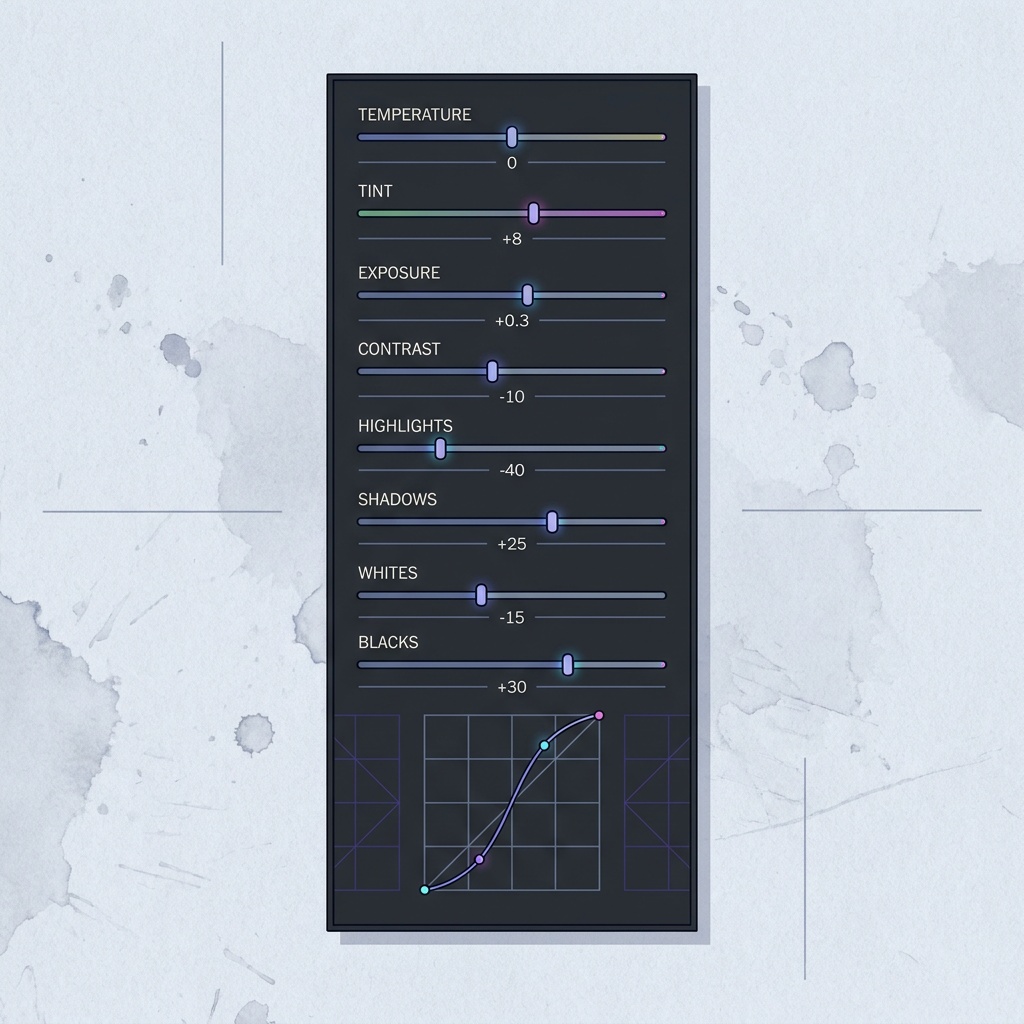
The order is not arbitrary. Set exposure before contrast, because contrast pivots around the midpoint and shifts as overall brightness changes. Set white balance before color, because every hue judgment depends on a neutral starting point. Sharpen last, because sharpening early gets re-applied and exaggerated by everything after it.
Common mistakes
The signature beginner mistake is overdoing it: maxed saturation, crushed shadows, and a heavy preset slapped on top. Pushed too far, every slider announces itself. The fix is to make an adjustment, then back it off until it looks natural. The second mistake is editing on an uncalibrated or very bright phone screen and being surprised the photo looks different everywhere else; edit somewhere with steady, neutral light and a screen at a moderate brightness.
A third mistake is skipping white balance and trying to fix color with saturation later, which never quite works. Color casts are a white balance problem; solve them at the source. And a fourth is sharpening early or globally rather than as a final, measured step, which exaggerates noise and edges. A fifth, easy to miss: pushing the clarity or dehaze sliders too hard, which leaves a gritty, over-processed halo around edges that screams of heavy editing.
Where to start and what it is for
You do not need to buy anything to begin. Snapseed is free on phones and covers the core adjustments well. Darktable is a free, capable RAW editor on the desktop. Adobe Lightroom is the common paid standard and is worth it once editing becomes routine, but it is not a prerequisite. Pick one, learn its version of the sliders above, and stay there long enough to get fast.
Editing matters most for the shots that justify it: a landscape with a wide range of brightness, a RAW portrait that needs skin tones dialed in, anything shot in hard light. For a quick snapshot, a straight-out-of-camera JPEG may need nothing at all. As your exposure gets more deliberate through the exposure triangle, you will find editing gets easier, because a well-exposed file barely needs rescuing. From here, color grading basics is the natural next step, and a black and white conversion is just this same workflow judged in tone.
What is the best free photo editor for beginners?
On a phone, Snapseed is excellent and free, covering exposure, color, and selective edits. On a desktop, Darktable is a powerful free RAW editor. Both handle the core adjustments well, so you can learn the whole workflow before deciding whether a paid tool like Lightroom is worth it.
In what order should I make my edits?
Set white balance first, then exposure, then highlights and shadows, then contrast and the black and white points, then color and saturation, and finish with sharpening and noise reduction. Working in this order means each step is judged against already-corrected results, which keeps your decisions consistent.
Does editing a JPEG ruin the quality?
Editing it once is fine, but saving a JPEG over itself repeatedly compounds compression and degrades the file. Edit non-destructively where you can, and if you only have a JPEG, do all your edits in one pass and export a single new copy rather than re-saving the same file many times.
What is the difference between vibrance and saturation?
Saturation raises the intensity of every color equally, which quickly oversaturates already-strong colors and skin. Vibrance is smarter: it boosts the muted colors more than the already-saturated ones and protects skin tones, so it is the safer slider for a natural-looking lift.
Keep going
Next useful steps
Pick one. Each link continues the same job without starting the research over.
Related Learn guides

Content Credentials and C2PA Explained for Photographers
Content Credentials record a photo's signed provenance and edits. Learn what C2PA proves, what it cannot prove, and how capture-to-export workflows work.
Open Gate Video Explained: When 3:2 Is Worth It
Open Gate records a taller sensor area for flexible 16:9, 9:16, and square crops. See when it helps, what it costs, and how to frame it correctly.
Pre-Capture Photography Explained: Get the Frame Before the Click
Pre-Capture buffers photos before the shutter is fully pressed. Learn how it works, which settings change, and when RAW, flash, or focus may be limited.
RAW vs JPEG: Which File Format Should You Shoot?
RAW keeps all your sensor data for maximum editing freedom; JPEG is smaller and ready to share. Here is how they differ and when each one is the right call.
Researched, not personally tested: picks compare specifications, available owner feedback, and established expert sources. As an Amazon Associate I earn from qualifying purchases. We may earn a commission from links here, at no extra cost to you. How we research →